A face age calculator online looks at one photo and estimates apparent age: how old the face appears in that image. It does not know your birthday, measure biological age, or verify identity. Use it as a playful photo comparison, not as proof.
If you searched "how old do I look?" or want an age calculator by photo, try the free AI age estimator. There is no signup. The selected photo is analyzed inside the current browser session, and you can compare a second image to see how the visual result changes.
What a face age calculator actually estimates
An AI face age calculator receives pixels, not personal records. It can use visible patterns in the detected face to return an estimated age, but it has no direct access to your date of birth. Research datasets such as APPA-REAL keep real age and apparent age as separate labels because they answer different questions.
| Term | What it means | Can a photo prove it? |
|---|---|---|
| Apparent age | How old a person appears to an observer or model in a particular image. | No. It is an estimate and can vary by photo or observer. |
| Chronological age | Time since birth, usually documented by reliable records. | No. A face image does not reveal a verified birthday. |
| Biological age | A health-related concept assessed with biological measures, not a selfie. | No. This tool does not evaluate health or aging. |
This distinction matters when judging AI age detector accuracy. An estimate can differ from your real age without being a technical failure: the model may be answering "how old does this face look in this photo?" rather than "what date was this person born?"
How AI estimates age from a photo
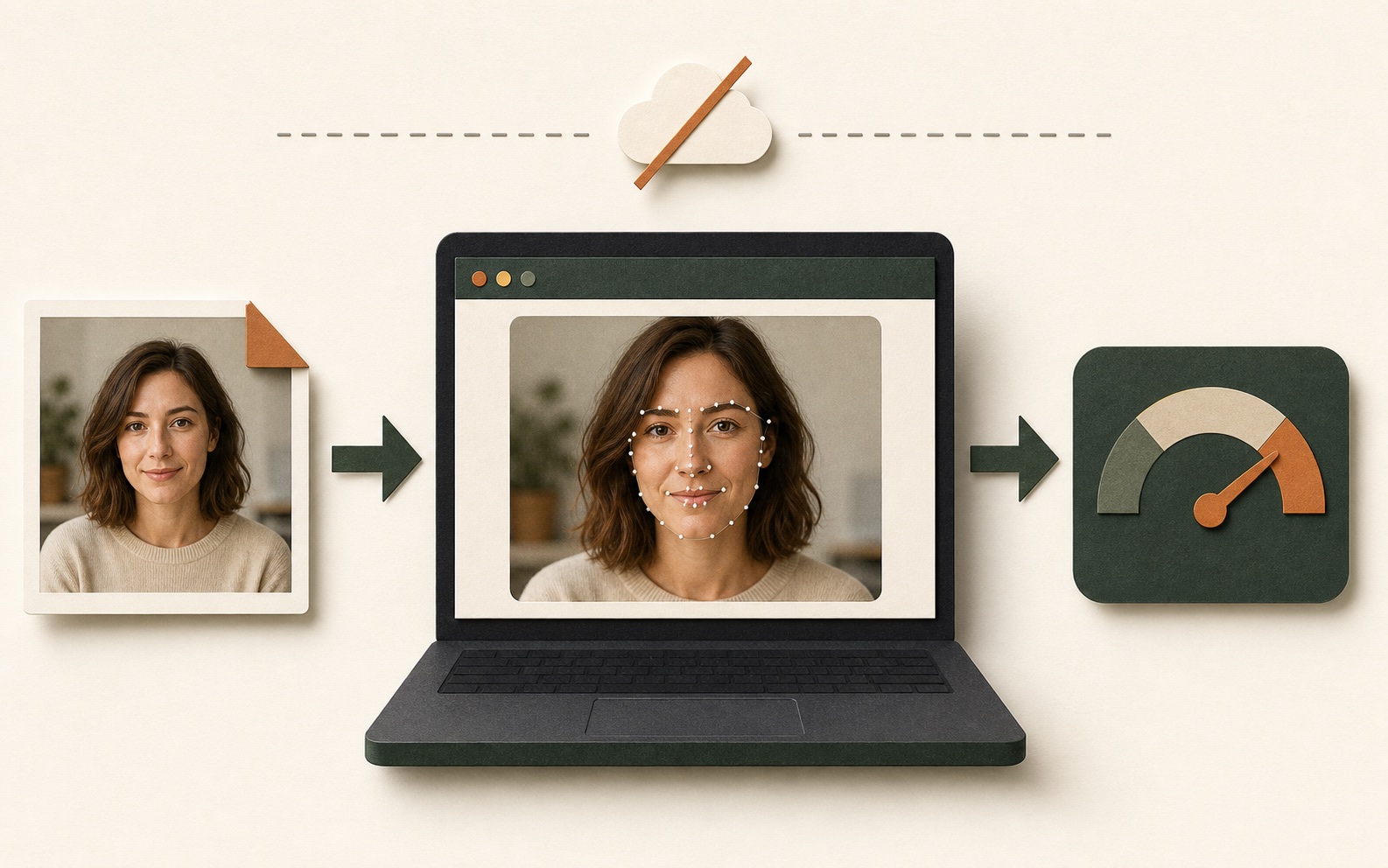
The current browser-side workflow uses three connected tasks. The technical details are explained in how our AI age detection works, but the practical sequence is:
- Find one face. The detector locates a usable face region in the image.
- Map facial landmarks. Landmark positions help align the face before age estimation.
- Return an apparent-age guess. The model evaluates the aligned face and outputs one estimate.
The underlying face-api.js documentation describes face detection, landmarks, and age estimation as distinct model tasks. A strong face detection result only means the face was found clearly; it is not a separate confidence score proving that the age number is correct.
How to use the online age detector
- Choose a JPG, PNG, or WebP photo with one clear adult face, or take a selfie on a supported device.
- Wait while the page prepares the local model and maps the face.
- Read the apparent-age estimate and the visible landmark trace.
- Try a second photo if you want to compare framing, lighting, expression, or styling.
The tool works best as a comparison aid. A single result is an observation about one image. Two controlled photos can show whether changing one condition makes the estimate move.
Best photo for a useful age estimate
A useful input is not necessarily your most flattering portrait. It is a photo that makes the face easy to detect and compare. Start with these conditions:
Front-facing pose
Keep both eyes visible and avoid a strong profile angle.
Even, natural light
Use enough light to preserve facial detail without deep shadows or blown highlights.
Sharp focus
Choose a photo where the face is not blurred, tiny, or heavily compressed.
Minimal editing
Skip beauty filters that smooth texture or reshape facial proportions.
Pose, expression, and illumination are established challenges in facial age estimation research. For a complete shooting checklist, read the best photo for age detection guide.
Why the same person gets different age guesses
A photo age calculator cannot average everything people know about you in real life. It sees one crop at one moment. Change the image evidence and the output may change too.
Camera distance
A close selfie changes perspective and facial proportions compared with a camera farther away.
Lighting
Shadows and highlights can reveal or hide texture. The direction of the effect is not fixed for every face.
Expression and angle
A smile, squint, raised brow, or turned head changes the shapes available to the model.
Filters and makeup
Color, contrast, smoothing, and contour changes can alter cues without changing the person.
Glasses and facial hair
Accessories or hair may cover parts of the face and make the input less comparable.
Resolution and compression
Small, blurry, or compressed faces carry less visible detail than a clear portrait.
How accurate is a face age calculator?
There is no honest universal accuracy number for every person and every photo. Performance depends on the model, evaluation dataset, age range, image quality, pose, and which target is being measured. A dataset-level average error is not a promise about your individual selfie.
The US National Institute of Standards and Technology evaluates age estimation systems under different conditions and reports that performance varies by image and demographic factors. Its work also treats age estimation and age verification as related but separate testing problems. That is why this site avoids "exact age" or fixed-error guarantees.
Practical rule: read a small change between photos as normal model sensitivity. If one image produces a surprising result, check the crop, angle, light, focus, and filters before drawing any conclusion.
Run a fair two-photo comparison
To learn what affects an AI age guess, change one variable at a time:
- Take a neutral, front-facing baseline photo in soft daylight.
- Keep the same camera, distance, crop, and expression for the second photo.
- Change only one condition, such as glasses, a smile, or the light direction.
- Compare the two estimates as a pair. Do not mix a filtered portrait with an unedited selfie and attribute the difference to one feature.
Browser-side privacy: what stays on your device
For the current GuessMyAgeFromPhoto tool, the browser downloads the model files it needs, reads the selected image for the current session, and performs the estimate on your device. The selected photo is not uploaded to our server for analysis and is not added to an account because the tool has no signup workflow.
This is different from a service that sends a photo to a remote inference API and later deletes it. "Processed locally" describes where the estimate happens; "deleted after upload" still means an upload occurred. See the privacy policy for the site's current data boundaries.
What an online age detector should not be used for
Do not use an apparent-age estimate for identity checks, over-18 verification, school or workplace decisions, hiring, insurance, healthcare, legal judgments, or access control. It cannot establish chronological age. Only test photos you own or have permission to use, especially when another person is identifiable.
Face age calculator FAQ
Can a face age calculator tell my real age?
No. It estimates apparent age from visible cues in one photo. It does not know your birthday and cannot prove chronological age.
Why do two photos give different age estimates?
Lighting, camera distance, angle, expression, crop, filters, blur, and compression can change the visual evidence available to the model.
Is the face age calculator free?
The current tool is free to use and does not require an account, credit card, or signup.
Is my photo uploaded or stored?
For the current tool, the selected image is processed in the browser session and is not uploaded for the age estimate.
Does the tool work with multiple faces?
The experience is designed for one clear face. If several faces appear, crop the image to the person you have permission to test.
Can an AI age detector verify that someone is over 18?
No. An apparent-age guess is not reliable age verification and should never control legal access or eligibility.