
Your photo stays on your device
Choose a selfie to make an age guess in this browser session. The image is not sent to our server for the estimate.
Upload a face photo and our AI guesses your apparent age - the free online age detector that works on any device, no app install needed.
Same private browser-side AI — different ways to check your apparent age.
How old do you look in a photo? The answer is not always the same as your real age, because cameras, lighting, angles, and facial expression all change how people read a face. Our age calculator by photo gives you a quick browser-based estimate, so you can see what the AI notices in a selfie.
You do not need an app, a long wait, or an awkward signup form. You get a quick second opinion from an AI age guesser, then you can try different angles, different lighting, or an older photo and compare the guesses. It is the simplest way to satisfy your curiosity without downloading another app or handing over your email.
Browser-side AI is more private than a cloud photo tool because the sensitive step happens on the device already displaying the image. A cloud service may need to upload the face photo, queue it, process it on a server, and then return a result. That can be fine for some products, but it adds trust questions: where the image goes, how long it is retained, who can access logs, and whether the image is reused. This page avoids that path for the age estimate. The model files load into the browser, the selected image stays in local page memory, and the result is shown without requiring an account.
The estimate is not a medical measurement and it cannot know your real birthday. The browser-side flow detects one face, maps 68 facial landmarks, and runs an age-estimation model to make an apparent-age guess. A clear, front-facing photo gives the model a more consistent view, while sunglasses, blur, strong filters, side angles, harsh shadows, expression, and camera treatment can change the result. That is why the best use is comparison. Try a recent selfie, then try an older photo or a different lighting setup. The number is a quick AI opinion, not proof of age.
People use this kind of age detector before updating a profile picture, comparing a new haircut, checking a dating app photo, or testing how much makeup, sleep, or lighting changes the impression of age. For the fairest comparison, use photos where your face takes up a similar amount of the frame. If one image is close-up and another is taken from far away, the AI has a different amount of detail to read. A small set of similar photos gives you a better feel for how consistent the estimate is.
An AI age detector starts by finding a face in the image, then it looks for patterns that often affect apparent age: face shape, eye area, mouth area, facial proportions, shadows, and texture created by the camera. This tool uses face detection, 68 facial landmarks, and an age-estimation model in the browser. The model does not know your birthday. It returns a visual estimate based on the pixels in the chosen photo.
That is why a guess my age from photo result should be read as an entertainment estimate. It can be useful when you want feedback on a profile photo or want to compare two pictures, but it should never be treated as legal proof, identity verification, or a health assessment.
Real age is fixed by your birth date. Apparent age is how old someone or an AI model thinks you look in a specific image. A face age calculator can guess lower in soft window light and higher in harsh shadows. A smile, lens distortion, filters, grooming, makeup, sleep, and image sharpness can all move the estimate.
For a better comparison, use two photos with similar distance, lighting, and expression. Then try the optional actual-age field after the result if you want a private difference check. The actual age stays in this browser session and is not needed to use the tool.
An age guesser by photo reads the visual cues available in the image. Clear eyes, visible facial outline, natural skin texture, and stable lighting usually make the apparent-age estimate more consistent. Heavy blur, sunglasses, masks, strong beauty filters, low resolution, and cropped faces remove information the model needs.
The tool also checks image type, size, dimensions, face count, and face size before returning a result. If the photo is too small or the face cannot be detected clearly, it asks you to choose another image instead of pretending the guess is reliable.
You can use this free AI age estimator before choosing a social profile photo, comparing a new haircut, testing different lighting, or seeing whether an older photo gives a different apparent-age guess. You can also create a share card with the result, but the photo and actual-age comparison are off by default.
To learn more about the browser-side workflow, read how AI age detection works or the face age calculator online guide, then return to the guess my age from photo tool for a fresh test.
Choose a selfie to make an age guess in this browser session. The image is not sent to our server for the estimate.
The number describes how a face appears in one photo. It cannot establish a birthday or support identity, health, or legal decisions.
See the face landmarks and result, then change the lighting or angle and compare how the guess moves.
Three steps. No signup. Works in your browser.
Drag, browse, or snap a selfie. One clear face works best.
68 facial landmarks are mapped and analyzed in your browser.
See an instant apparent-age result. Private, with no photo stored.
Pick one clear face photo and get an apparent-age guess based on that image.
Try the same face in different light or at a different angle to see how the estimate changes.
Open the tool, choose a photo, and run a free guess without creating an account.
Take a selfie on a supported phone or select an existing portrait from your device.
View the landmark trace alongside the guess so you can see which face the tool analyzed.
Make a result card after the guess; your photo is excluded unless you choose to include it.
Use the tool, learn what affects the estimate, then try a better photo.
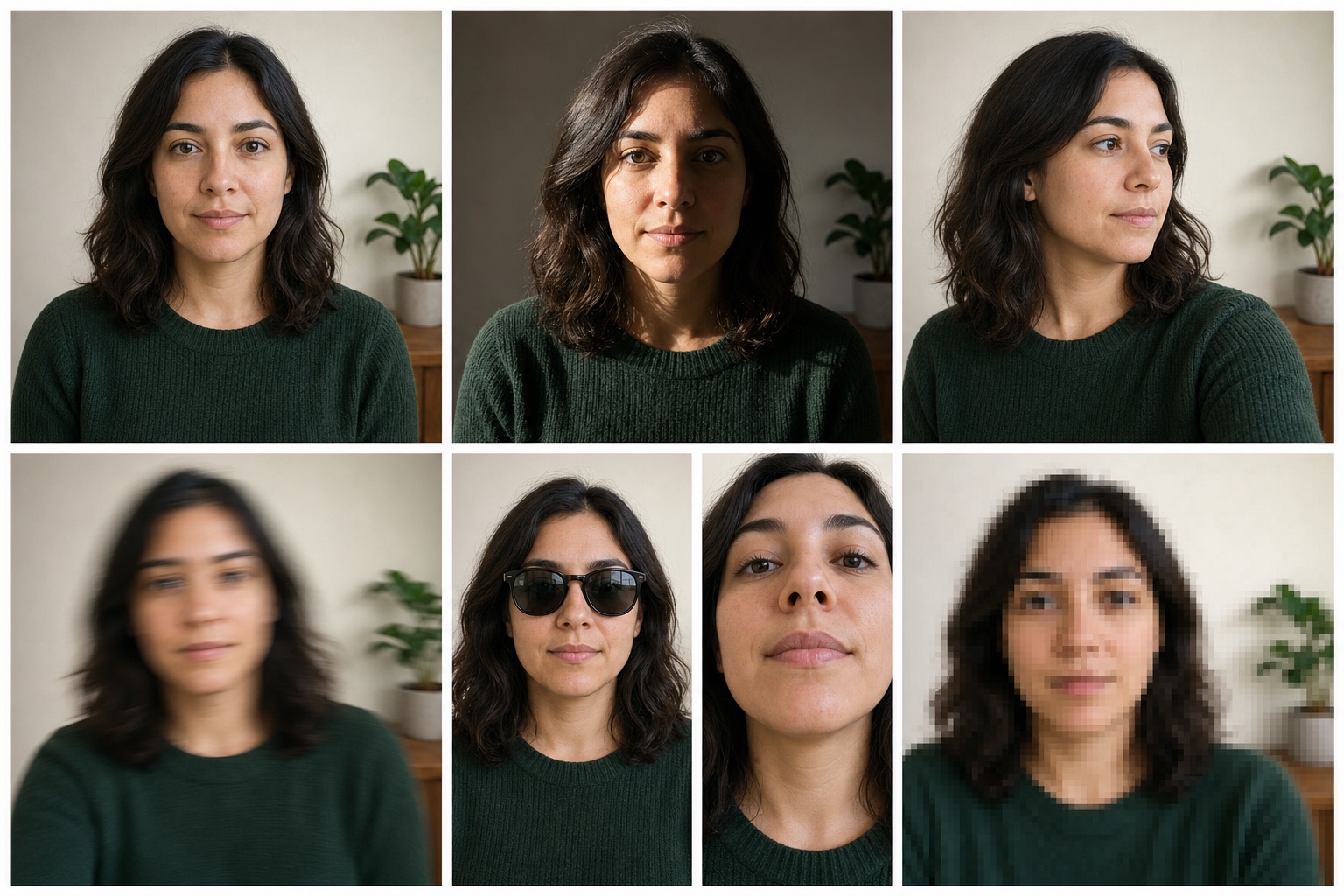
Lighting, angle, filters, and face size can change an AI age guess. Use this guide before testing another selfie.
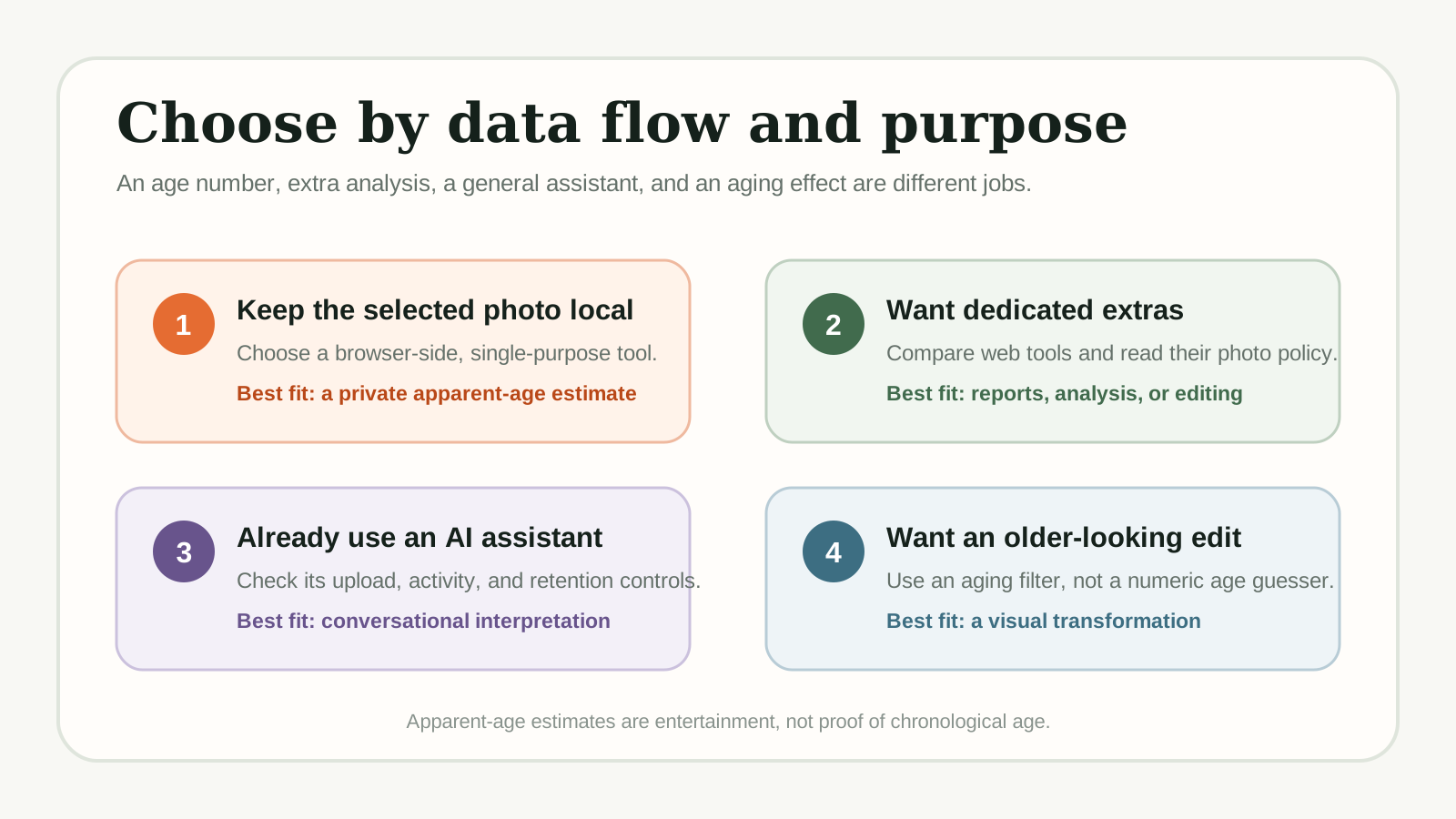
Compare dedicated age guessers and adjacent AI tools by access, photo handling, mobile use, and extra features before choosing one.
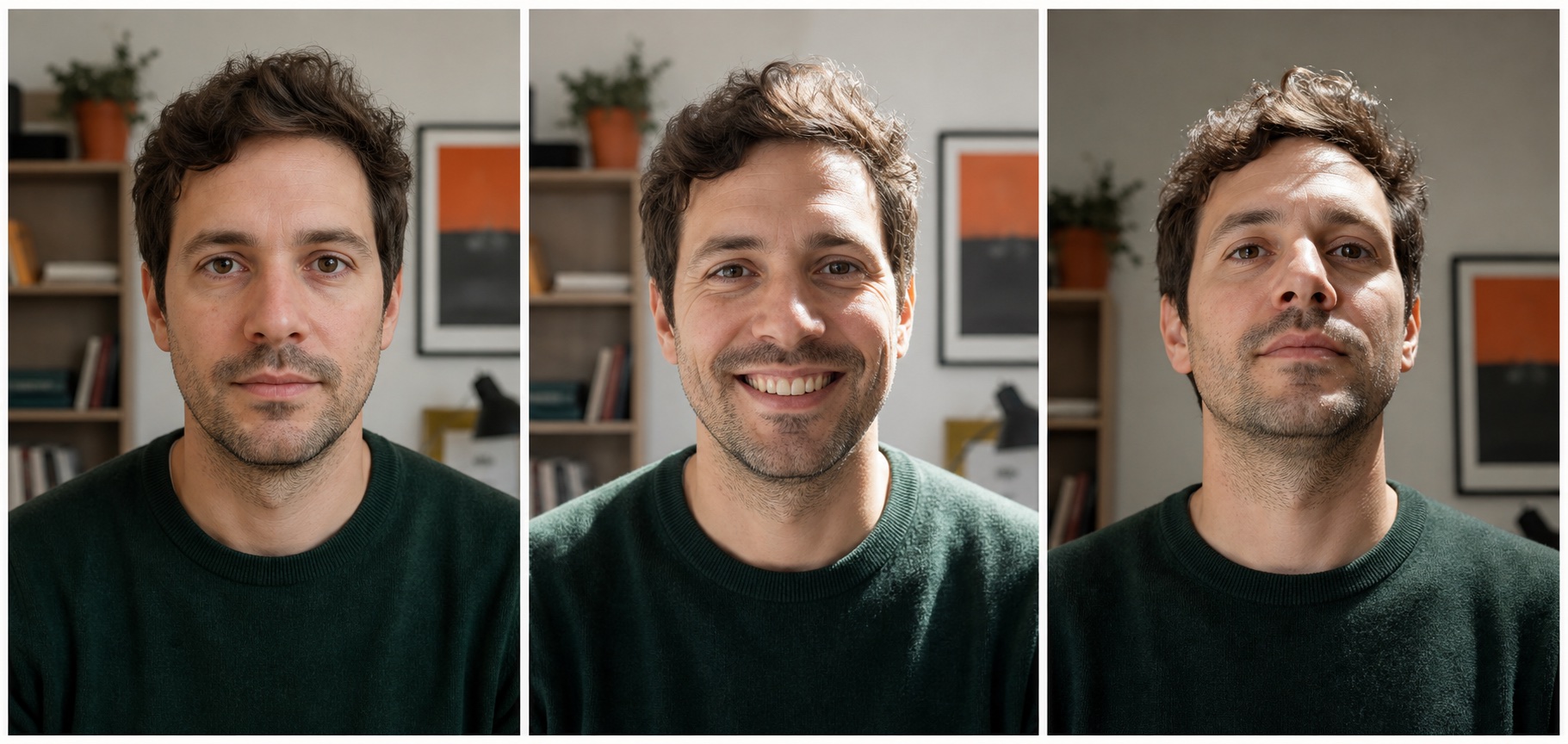
Learn why an apparent-age estimate can differ from real age, and why the same person can get different results across photos.
It estimates apparent age, not a real age. Lighting, angle, expression, and the camera can change the result. Use it for fun or comparing photos, not for medical, legal, or age-verification decisions.
The tool processes the selected photo in your browser for the current session. The site does not store the selected photo.
No account, signup form, or email address is required. Choose a photo and run the browser-side estimate.
Yes. Use it on iPhone, Android, iPad, or desktop. You can take a selfie or upload one from your gallery.
Use a clear photo with one visible face and even lighting. Sunglasses, masks, heavy filters, blur, and extreme angles can make the estimate less consistent.
The browser-side flow detects one face, maps 68 facial landmarks, and runs an age-estimation model to produce an apparent-age guess.
Yes. This free online age guesser works in your browser with no download, no account, and no signup. Upload a face photo and run the apparent-age estimate on your device.
Many face age calculators process images in the cloud. This tool runs the face detection, landmark mapping, and age estimate in your browser, so the selected photo does not leave your device for the current analysis.
Every age guesser is estimating apparent age from one image, so lighting, crop, filters, and expression matter more than the brand name. This tool focuses on a private browser-side workflow, visible landmark feedback, and honest boundaries instead of claiming proof of real age.
Upload a photo now and get a private apparent-age guess. 100% free, no signup, and no upload.
Guess My Age Now - Free