
Processed in the browser
The selected photo is used by the page for the current estimate. The site does not store the selected photo or require an account.
Supports JPG, PNG, WebP · Max 10MB
Ready to Analyze
Upload a clear portrait to begin. Your photo stays private in this browser session.
Why this guess?
The age estimate runs in your browser. Your photo is not uploaded to any server. Read the face-photo privacy guide.
A free online age estimator that uses browser-side AI to estimate how old you look in a photo. Works on any device — upload and get an estimate in seconds, no app needed.
Want a quicker, more playful result? Use the same private browser-side AI to guess how old you look.
An age estimator gives you a second opinion on how old you appear in a photo. Unlike a birthday, apparent age changes with lighting, angle, expression, and the camera itself. This free tool estimates your visual age using browser-side AI — select a face photo and get a result in seconds without creating an account or uploading anything to a server.
Many online age estimators route images through cloud servers for processing. This one is different: face detection, 68-point landmark mapping, and the age-estimation model all load and run inside your browser tab. The selected photo stays in page memory for the current session and is never sent to a backend. That makes it one of the most private ways to estimate age from a selfie.
The result is an apparent-age estimate, not proof of real age. It is designed for curiosity — test a new profile photo, compare a recent selfie against one from last year, or check how lighting changes the number. For the most consistent comparison, use two photos with similar framing, distance, and expression. A close-up gives the model more detail than a distant shot.
People use an age estimator before updating a dating app photo, testing a new haircut, verifying their LinkedIn headshot, or simply satisfying curiosity. The model reads visual patterns in the image — face shape, eye area, mouth area, proportions, shadows, and texture — not your birth date. That is why the same person can get different estimates across different photos, and why comparing results is more useful than treating one number as the answer.
An AI age estimator works in three steps: detect a face, map its landmarks, and run a model trained to associate facial patterns with age ranges. This tool uses a 68-point facial landmark map and a browser-side model. It reads visual cues like facial proportions, eye and mouth area, skin texture as captured by the camera, and shadow patterns. The estimate reflects how old the AI thinks the face looks in that specific image — not the person's calendar age.
Because every photo captures different lighting and expression, the same face can produce different estimates. That makes an age estimator from photo most useful as a comparison tool: try a selfie in window light, then try one under ceiling light, and note the difference.
Real age counts from your birth date and never changes. An age estimator reads visual signals in one photograph and guesses how old you appear in that moment. Soft window light tends to produce lower estimates; harsh overhead light and strong shadows tend to push estimates higher. Expression, makeup, sleep, filters, and lens distortion all move the number.
For a fair self-comparison, use two photos taken at similar distance with similar lighting. After the estimate, you can optionally enter your actual age for a private difference check — that number stays in your browser session and is not required to use the tool.
A clear front-facing photo with even lighting gives the model the best input. One visible face in the frame, natural expression, no sunglasses, no heavy filters, and enough resolution for the landmark detector to find facial features. Blurry images, extreme angles, masks, and cropped faces remove the detail the model depends on.
The tool checks image type, dimensions, face count, and face size before returning an estimate. If the photo is too small or the face is not clearly detectable, it asks for another image rather than returning an unreliable guess.
Before choosing a new profile picture, run the photo through the age estimator to see the impression it might give. Compare a recent selfie with one from months ago to track how lighting and grooming change the estimate. Test different angles, different times of day, or different cameras. You can also create a share card if you want to post the result, though the photo itself is off by default.
For more on how the AI works, read how AI age detection works or the face age calculator online guide. For a quicker, more playful result, try our Age Guesser.
The selected photo is used by the page for the current estimate. The site does not store the selected photo or require an account.
This is a playful apparent-age tool. It is not designed for identity checks, age verification, medical decisions, or legal decisions.
You can see the page prepare the model, find one face, map landmarks, and return a single estimate on your device.
Three steps. No signup. Works in your browser.
Drag, browse, or snap a selfie. One clear face works best.
Facial landmarks are mapped and analyzed in your browser.
See an instant apparent-age result. Private, with no photo stored.
The photo analysis runs in your browser. No photo leaves your device for the estimate.
A clear portrait can return a guess quickly after the model loads. Try different photos without a long workflow.
Use the current tool without a credit card, subscription, or account. Upload a photo and start.
Take a photo with your phone or upload from desktop. The interface adapts to either screen.
The result uses face detection, age estimation, and a 68-point landmark map. You see a clear visual trace.
Try a second photo in the same session. Share cards exclude your photo unless you choose otherwise.
Use the tool, learn what affects the estimate, then try a better photo.
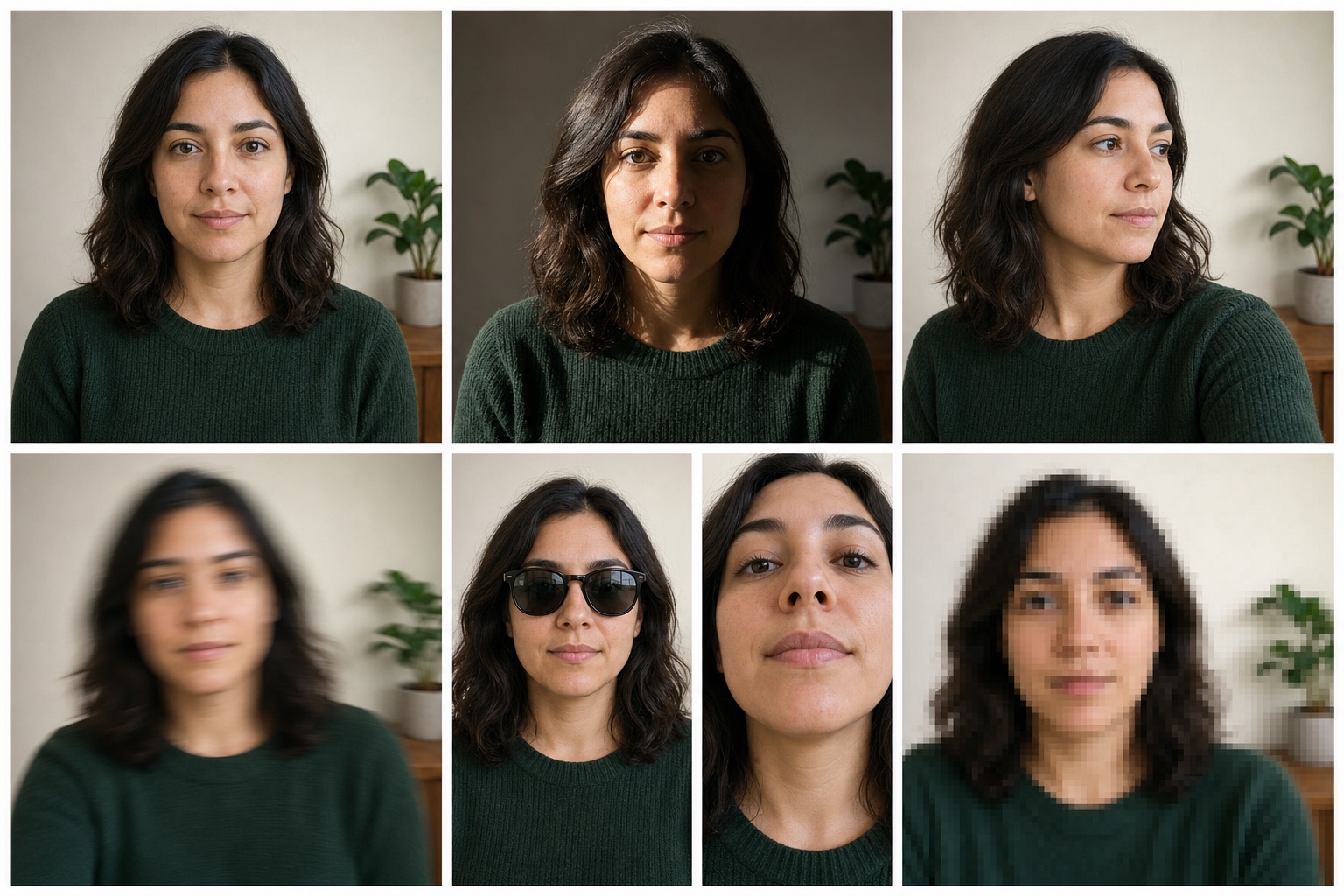
Lighting, angle, filters, and face size can change an AI age guess. Use this guide before testing another selfie.
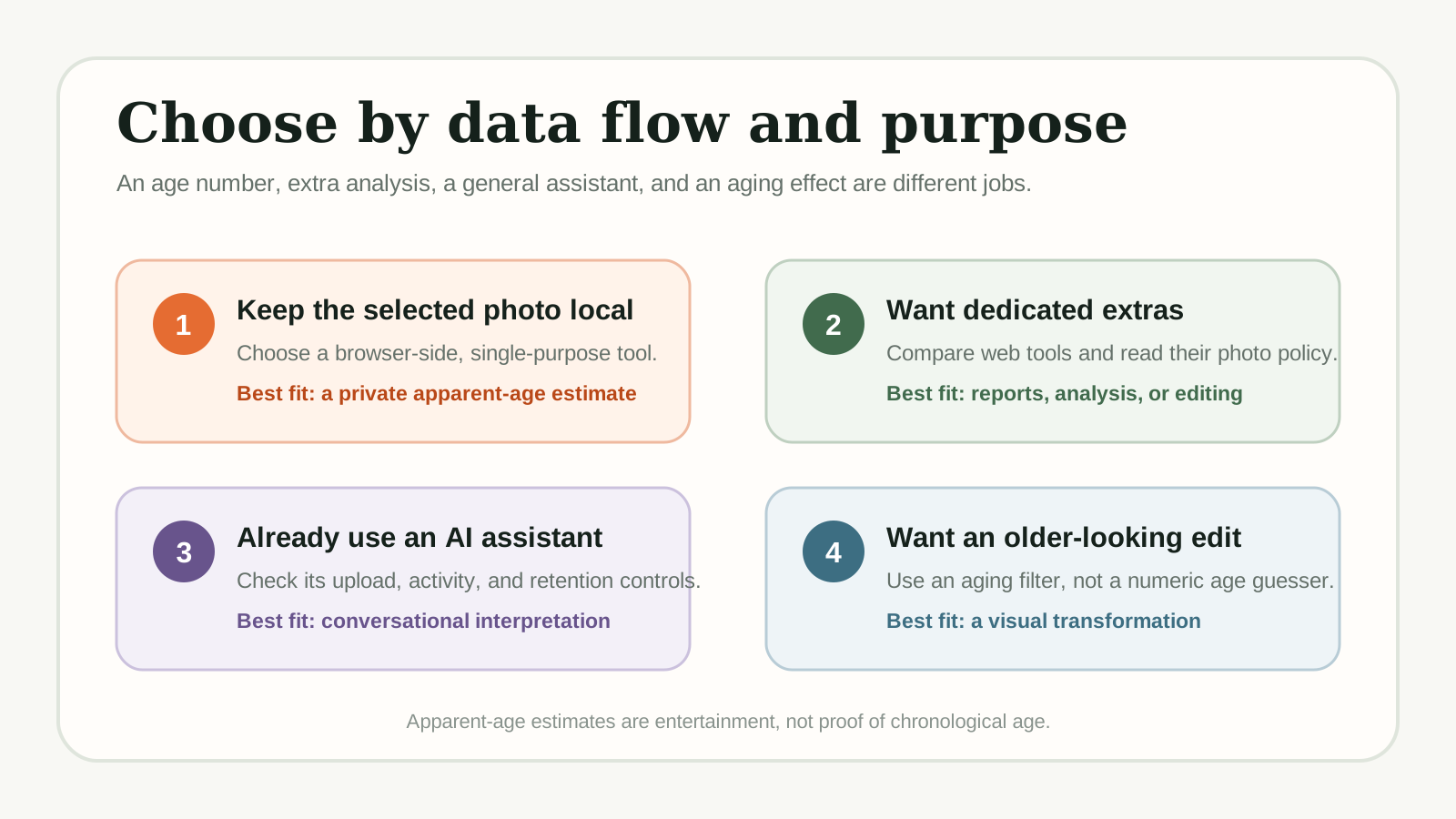
Compare dedicated age guessers and adjacent AI tools by access, photo handling, mobile use, and extra features before choosing one.
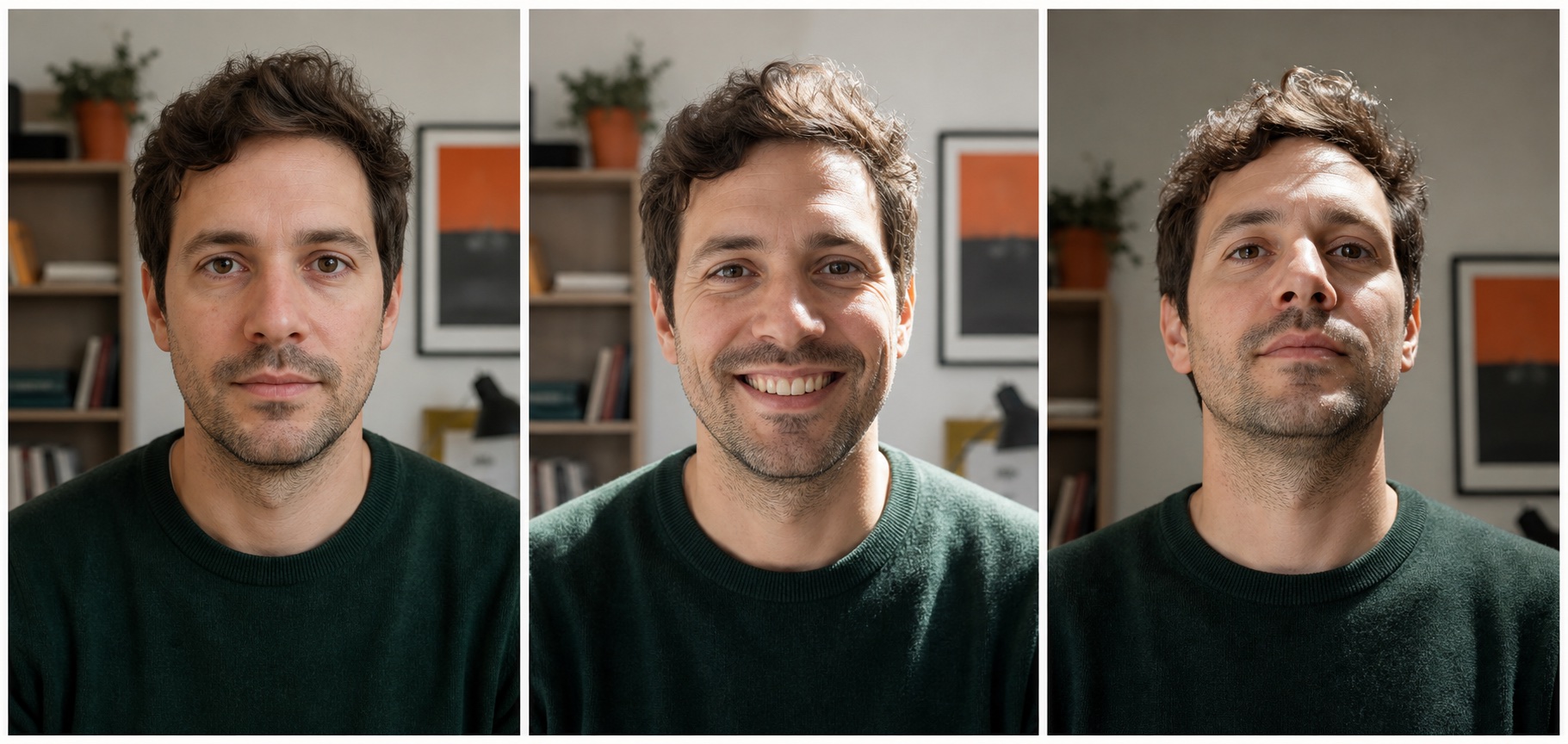
Learn why an apparent-age estimate can differ from real age, and why the same person can get different results across photos.
Also try our Age Guesser — a quick, playful way to guess age from a photo.
An age estimator is a tool that analyzes a face photo and returns an apparent-age guess using AI. This one runs in your browser — upload a photo, let the model estimate your visual age, and get a result in seconds. It is free and requires no signup.
It estimates apparent age from visual patterns in one photo, not real age from a birth date. Lighting, angle, expression, filters, and camera quality all influence the result. Use it for fun, photo comparison, or curiosity — not for age verification, identity checks, or medical decisions.
No. The face detection, landmark mapping, and age-estimation model all run inside your browser. The selected photo is used for the current session estimate and is not uploaded to any server. There is no backend storage and no account required.
Both terms refer to tools that estimate apparent age from a photo. An age estimator often emphasizes a more analytical approach — detecting landmarks and running a trained model — while an age guesser may sound more casual. In practice, most modern tools use similar underlying AI techniques regardless of the label.
Yes. Upload any clear face photo and the estimator will return an apparent-age guess based on what it sees in that image. Try an old photo alongside a recent one to compare how the estimates differ. Just keep framing and lighting similar for the fairest comparison.
Yes. Open the page on iPhone, Android, iPad, or any modern mobile browser. You can take a selfie directly with your phone camera or upload a photo from your gallery. The interface adjusts to smaller screens automatically.
The tool detects one face in the image, maps 68 facial landmarks (eyes, nose, mouth, jawline, brows), and runs a trained model that associates those patterns with age ranges. It reads proportions, shadow distribution, and texture — not identity or personal data.
Yes. There is no credit card, no subscription, no trial period, and no account. Upload a photo, get an estimate, and try as many photos as you like in the same session.
Try also: guess my age from photo
Upload a photo now and get a private apparent-age estimate. 100% free, no signup, and no server upload.
Estimate My Age Now - Free